問い合わせ一覧が数百件になり、「全部取得してから画面で20件ずつ切る」実装が苦しくなった。Spring Data JPAなら、Repositoryへ Pageable を渡して取得範囲を限定できます。
ただし私は、PageRequest.of(page, size) を置くだけでは完成としません。ページ番号の0始まり、件数の上限、同日時データの順序まで決めます。これを曖昧にすると、最初のページが一つずれたり、ページを移動したとき同じ行が見えたりします。以下は JDK 17、Spring Boot 3.5.16、Spring Data JPA 3.5系で試せる架空の問い合わせ一覧です。
実行用サンプル
作成日時が同じ未対応3件と、除外する完了済み1件を登録し、公開APIのページ境界と入力制限を確認します。 JDK 17とMaven 3.9系で mvn -Dtest=InquiryControllerTest test を実行すると、この記事のテスト2件を確認できます。ZIPにはソース全文・テスト・pom.xml・READMEを収録しています。
最初のページは0、表示上は1
PageRequest.of(0, 20) は最初の20件を要求します。次ページは PageRequest.of(1, 20) です。画面に「1ページ目」と出したいなら、表示時だけ page + 1 にします。
URLの page | Repositoryへ渡す値 | 画面の表示 |
|---|---|---|
| 0 | 0 | 1ページ目 |
| 1 | 1 | 2ページ目 |
URLも1始まりにしたいなら、入口で1を引いて内部の0始まりへ変換します。画面だけ1始まり、APIだけ0始まりのような混在を放置せず、公開するURLの契約を先に決めてください。
RepositoryとControllerの最小例
Inquiry は id、title、createdAt、status を持つ既存のJPA Entity、Status.OPEN は公開中の状態とします。Spring Bootアプリには spring-boot-starter-data-jpa とDBドライバーを追加します。
InquiryRepository.java の全文
package info.syachiku.audit;

import org.springframework.data.domain.Page;
import org.springframework.data.domain.Pageable;
import org.springframework.data.jpa.repository.JpaRepository;

interface InquiryRepository extends JpaRepository<Inquiry, Long> {
    Page<Inquiry> findByStatus(Status status, Pageable pageable);
}
Controllerでは、利用者が自由に size=1000000 を指定できないようにします。また並び順は外部パラメータをそのままプロパティ名へ通さず、画面の仕様として固定します。
InquiryController.java の全文
package info.syachiku.audit;

import java.util.List;
import org.springframework.data.domain.PageRequest;
import org.springframework.data.domain.Sort;
import org.springframework.http.HttpStatus;
import org.springframework.web.bind.annotation.GetMapping;
import org.springframework.web.bind.annotation.RequestParam;
import org.springframework.web.bind.annotation.RestController;
import org.springframework.web.server.ResponseStatusException;

record InquiryRow(Long id, String title) {}
record InquiryPage(List<InquiryRow> items, int page, int size,
                   long totalElements, int totalPages, boolean hasNext) {}

@RestController
class InquiryController {
    private final InquiryRepository repository;

    InquiryController(InquiryRepository repository) {
        this.repository = repository;
    }

    @GetMapping("/inquiries")
    InquiryPage list(@RequestParam(defaultValue = "0") int page,
                     @RequestParam(defaultValue = "20") int size) {
        if (page < 0 || size < 1 || size > 50) {
            throw new ResponseStatusException(HttpStatus.BAD_REQUEST,
                    "pageまたはsizeが範囲外です");
        }
        Sort order = Sort.by(Sort.Direction.DESC, "createdAt")
                .and(Sort.by(Sort.Direction.DESC, "id"));
        var result = repository.findByStatus(Status.OPEN,
                PageRequest.of(page, size, order));
        var rows = result.getContent().stream()
                .map(i -> new InquiryRow(i.getId(), i.getTitle()))
                .toList();
        return new InquiryPage(rows, page, size, result.getTotalElements(),
                result.getTotalPages(), result.hasNext());
    }
}
createdAt DESC に id DESC を加えると、同じ時刻でも順序が決まります。その順序が決まっていても、1ページ目と2ページ目の間に行が追加されると、オフセットが指す位置は変わります。
同じ並び順で1行追加し、2ページ目のIDを比べる
検証用の空のH2データベースで次のSQLを上から実行します。最初の取得は [104, 103]。同じ日時の105を先頭側へ追加してから2行飛ばすと [103, 102] になり、103が重複します。固定ZIPのJUnitは既存データのページ境界を確認し、この追加の例は下のSQLで別に再現します。
CREATE TABLE demo_page_shift (
    id BIGINT PRIMARY KEY,
    created_at TIMESTAMP NOT NULL
);
INSERT INTO demo_page_shift VALUES
    (101, TIMESTAMP '2026-11-01 00:00:00'),
    (102, TIMESTAMP '2026-11-01 00:00:00'),
    (103, TIMESTAMP '2026-11-01 00:00:00'),
    (104, TIMESTAMP '2026-11-01 00:00:00');

SELECT id FROM demo_page_shift
ORDER BY created_at DESC, id DESC FETCH FIRST 2 ROWS ONLY;

INSERT INTO demo_page_shift VALUES (105, TIMESTAMP '2026-11-01 00:00:00');

SELECT id FROM demo_page_shift
ORDER BY created_at DESC, id DESC OFFSET 2 ROWS FETCH NEXT 2 ROWS ONLY;

SELECT id FROM demo_page_shift
WHERE created_at < TIMESTAMP '2026-11-01 00:00:00'
   OR (created_at = TIMESTAMP '2026-11-01 00:00:00' AND id < 103)
ORDER BY created_at DESC, id DESC FETCH FIRST 2 ROWS ONLY;最後の検索は、1ページ目の末尾で見た (created_at, id) より後ろだけを取得するため、この追加では [102, 101] から続けられます。カーソルを使う場合は、並び順に使う日時とIDを両方持ちます。途中で行が削除されたり、並べ替えに使う値が変更されたりすると結果も変わるので、閲覧開始時の集合を固定する要件は別途決めます。 Spring Data 3.5のキーセットスクロール
0件と最終ページを先に決める
size=2で page=0 のIDは3と2、page=1は1、page=2は空です。総件数は3、総ページは2で、page=1からは hasNext=false です。size=51には400を返します。同じ作成日時でも第2ソートキーのidで順序が決まります。
InquiryControllerTest.java の全文
package info.syachiku.audit;

import java.time.Instant;
import java.util.List;
import org.junit.jupiter.api.BeforeEach;
import org.junit.jupiter.api.Test;
import org.springframework.beans.factory.annotation.Autowired;
import org.springframework.boot.test.autoconfigure.web.servlet.AutoConfigureMockMvc;
import org.springframework.boot.test.context.SpringBootTest;
import org.springframework.test.web.servlet.MockMvc;

import static org.springframework.test.web.servlet.request.MockMvcRequestBuilders.get;
import static org.springframework.test.web.servlet.result.MockMvcResultMatchers.jsonPath;
import static org.springframework.test.web.servlet.result.MockMvcResultMatchers.status;

@SpringBootTest
@AutoConfigureMockMvc
class InquiryControllerTest {
    @Autowired
    private InquiryRepository repository;
    @Autowired
    private MockMvc mvc;

    @BeforeEach
    void seed() {
        repository.deleteAll();
        Instant time = Instant.parse("2026-11-01T00:00:00Z");
        repository.saveAll(List.of(
                new Inquiry(1L, "問い合わせ1", Status.OPEN, time),
                new Inquiry(2L, "問い合わせ2", Status.OPEN, time),
                new Inquiry(3L, "問い合わせ3", Status.OPEN, time),
                new Inquiry(4L, "完了済み", Status.CLOSED, time)));
    }

    @Test
    void 同時刻のOPENをID降順で返し最終ページと範囲外を区別する() throws Exception {
        mvc.perform(get("/inquiries").param("page", "0").param("size", "2"))
                .andExpect(status().isOk())
                .andExpect(jsonPath("$.items.length()").value(2))
                .andExpect(jsonPath("$.items[0].id").value(3))
                .andExpect(jsonPath("$.items[1].id").value(2))
                .andExpect(jsonPath("$.totalElements").value(3))
                .andExpect(jsonPath("$.totalPages").value(2))
                .andExpect(jsonPath("$.hasNext").value(true));

        mvc.perform(get("/inquiries").param("page", "1").param("size", "2"))
                .andExpect(status().isOk())
                .andExpect(jsonPath("$.items.length()").value(1))
                .andExpect(jsonPath("$.items[0].id").value(1))
                .andExpect(jsonPath("$.hasNext").value(false));

        mvc.perform(get("/inquiries").param("page", "2").param("size", "2"))
                .andExpect(status().isOk())
                .andExpect(jsonPath("$.items").isEmpty())
                .andExpect(jsonPath("$.totalElements").value(3))
                .andExpect(jsonPath("$.totalPages").value(2))
                .andExpect(jsonPath("$.hasNext").value(false));
    }

    @Test
    void 取得件数が51なら400を返す() throws Exception {
        mvc.perform(get("/inquiries").param("size", "51"))
                .andExpect(status().isBadRequest());
    }
}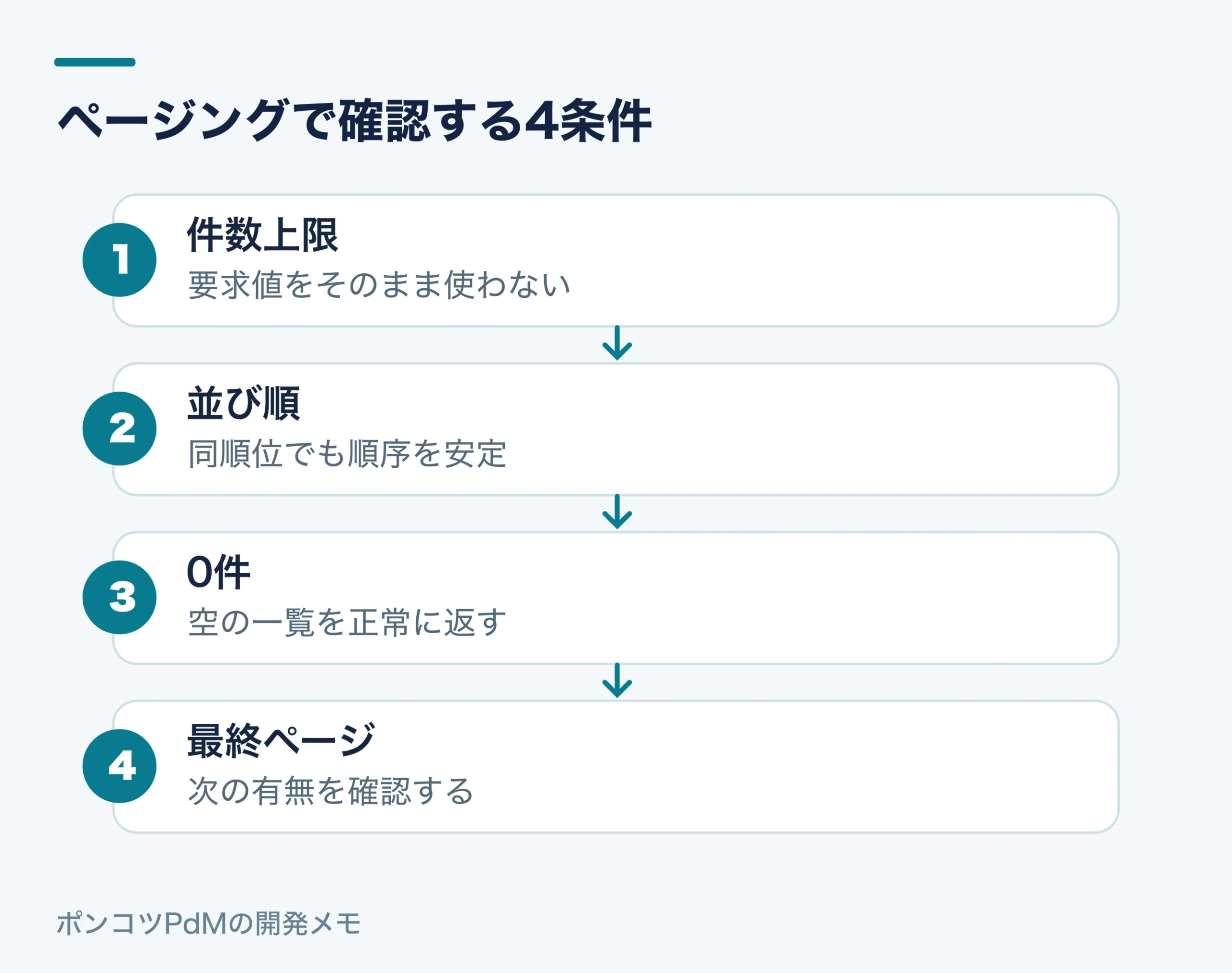
たとえば全41件、1ページ20件なら page=0 と page=1 が20件ずつ、page=2 が1件です。page=3 は空になります。getTotalPages() は3、最後のページの hasNext() は false です。0件なら items=[]、totalElements=0 として画面に「該当なし」を出します。
ページ番号が最終ページを超えても、取得開始位置をJPAに渡せる範囲なら、この例はHTTP 200と空の一覧を返します。たとえば配布テストの3件に対する page=2・size=2 では items=[]、totalElements=3、hasNext=false です。404にするか空一覧を返すかはAPIの契約として決めます。
大きすぎるページ番号では別のエラーになります。配布ZIPを展開し、pom.xml のある場所で mvn spring-boot:run を実行します。http://localhost:8080/inquiries?page=42949672&size=50 を開くと空一覧のHTTP 200ですが、page=42949673 に変えるとHTTP 500です。後者は取得開始位置 page × size が2,147,483,650になり、JPAへ渡せる Integer.MAX_VALUE を超えます。ログの Page offset exceeds Integer.MAX_VALUE で、単なる空ページと区別できます。
入力エラーとして返すなら、アプリを停止して、展開したサンプルの作業用コピーで InquiryController.java の入力チェックに || (long) page * size > Integer.MAX_VALUE を追加します。掛け算の前に long へ広げると、int の桁あふれを避けて判定できます。再起動して同じ2つのURLを比べると、前者はHTTP 200のまま、後者はRepositoryを呼ぶ前にHTTP 400になります。
画面が「次へ」を出す判定に items.size() == size を使うと、最終ページがちょうど20件だった場合に間違えます。hasNext() を使ってください。
Page を選ぶ前に件数表示の要否を考える
Page は総件数・総ページ数を得られます。そのためカウント用の問い合わせが必要になる場合があります。「次があるか」だけでよい画面なら、Repositoryの戻り値を Slice<Inquiry> にして総件数の取得を避ける選択もあります。ページ番号を並べたいならPage、次へだけならSliceというのが最初の判断です。
実装後は、0件、1件、20件、21件、同じ createdAt の複数件で画面を確認します。最後にSQLログで、想定した件数制限と並び順が実際のDB問い合わせへ反映されているかを見てください。
